SVG Files & Fonts
Ready-made SVG cut files and monogram fonts for your Cricut or Silhouette. Download the file, upload it to Design Space or Silhouette Studio and start cutting, with no drawing skills needed.
Choose from layered Christmas light boxes, 3D shadow boxes for special occasions, personalised family designs and decorative monogram alphabets. Cut them from card, adhesive vinyl or iron-on vinyl.
Showing all 23 results
-

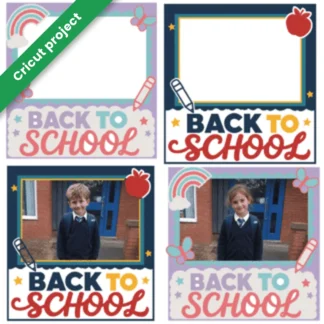
2 Back-to-School Shadow Box Projects for Cricut & Silhouette
Sale! Original price was: £4.99.£0.00Current price is: £0.00. Add to basket -
Ancient Jungle Temple Monogram Font – Tropical Island Style Alphabet | Cricut-Compatible
Sale! Original price was: £4.99.£2.49Current price is: £2.49. Add to basket -
Candy Andy Font – Playful Birthday Candy Monogram Alphabet with Uppercase, Lowercase and Numbers | Cricut-Compatible
Sale! Original price was: £4.99.£2.49Current price is: £2.49. Add to basket -
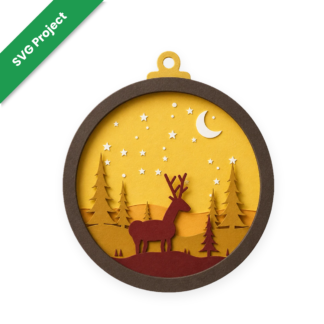
Christmas Bauble Light Box SVG – Layered Deer Scene | Cricut & Silhouette Cut File
Sale! Original price was: £5.99.£0.00Current price is: £0.00. Add to basket -
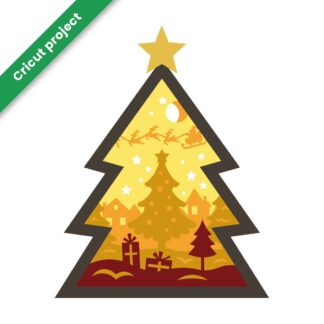
Christmas Tree Light Box – 3D Layered Cricut Project SVG
Sale! Original price was: £5.99.£0.00Current price is: £0.00. Add to basket -
Craft Girl Magic Font – Elegant Decorative Alphabet | Cricut-Compatible
Sale! Original price was: £4.99.£2.49Current price is: £2.49. Add to basket -
Crafting Project: Valentine SVG – Happy Valentine’s Day Design for Cricut and Other Machines
Sale! Original price was: £4.94.£2.47Current price is: £2.47. Add to basket -
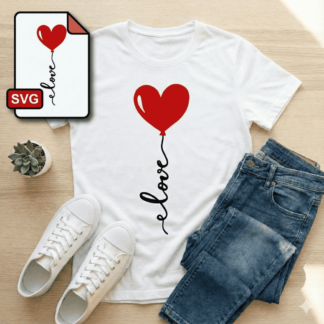
Crafting Project: Valentine SVG – Heart & Love Design for Cricut and Other Machines
Sale! Original price was: £4.94.£2.47Current price is: £2.47. Add to basket -
Curly Doodle Monogram Font – Playful Swirl Alphabet with Uppercase, Lowercase, Numbers & Punctuation | Cricut-Compatible
Sale! Original price was: £4.98.£2.49Current price is: £2.49. Add to basket -
Diamond Monogram Font – Geometric Crystal Style Alphabet with Left, Centre & Right Letters | Cricut-Compatible
Sale! Original price was: £4.98.£2.49Current price is: £2.49. Add to basket -
Father’s Day Shadow Box SVG for Cricut & Silhouette | 8-Layer Project
Sale! Original price was: £9.98.£0.00Current price is: £0.00. Add to basket -
Fishing Font – Decorative Hook Style Alphabet | Cricut-Compatible
Sale! Original price was: £1.99.£0.99Current price is: £0.99. Add to basket -
Fishtail Monogram Font – Decorative Alphabet with Uppercase, Numbers & Punctuation | Cricut-Compatible
Sale! Original price was: £4.98.£2.49Current price is: £2.49. Add to basket -
Frosty Winter Font – Decorative Craft Typeface | Cricut-Compatible
Sale! Original price was: £1.99.£0.99Current price is: £0.99. Add to basket -
Halloween Knights Monogram Font – Gothic Medieval Capital Alphabet | Cricut-Compatible
Sale! Original price was: £4.99.£2.49Current price is: £2.49. Add to basket -
Hero Strike Monogram Font – Bold Action Style Alphabet with Uppercase, Lowercase, Numbers & Punctuation | Cricut-Compatible
Sale! Original price was: £4.99.£2.49Current price is: £2.49. Add to basket -
Lake Adventure Font – Playful Kids Typeface | Cricut-Compatible
Sale! Original price was: £1.99.£0.99Current price is: £0.99. Add to basket -
Little Fairy Magic Font | Cricut-Compatible
Sale! Original price was: £4.99.£2.49Current price is: £2.49. Add to basket -
Nursery Playtime Monogram Font – Cute Handwritten Alphabet with Uppercase, Lowercase, Numbers & Punctuation | Cricut-Compatible
Sale! Original price was: £4.98.£2.49Current price is: £2.49. Add to basket -
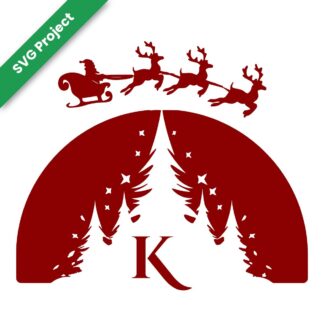
Santa Sleigh Christmas SVG – Family Initial A–Z | Cricut & Silhouette Iron-On Cut File
Sale! Price range: £0.00 through £26.00 Select options This product has multiple variants. The options may be chosen on the product page -
Sultan’s Treasure Monogram Font – Ornamental Middle Eastern Style Alphabet with Uppercase, Lowercase & Numbers | Cricut-Compatible
Sale! Original price was: £4.98.£2.49Current price is: £2.49. Add to basket -
Winter Magic Monogram Font – Elegant Script Alphabet with Uppercase, Lowercase, Numbers & Punctuation | Cricut-Compatible
Sale! Original price was: £4.98.£2.49Current price is: £2.49. Add to basket -
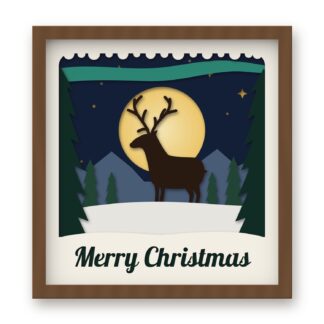
Winter Stag Shadow Box SVG – Layered Moonlit Christmas Scene | Cricut & Silhouette Cut File
Sale! Original price was: £5.99.£0.00Current price is: £0.00. Add to basket








Showing all 23 results
What’s in our SVG and font range?
| Type | Best for | Good to know |
|---|---|---|
| Christmas light boxes | Glowing festive scenes for the mantelpiece | Multi-layer card projects from The Christmas Craft Series |
| Shadow box SVGs | Father’s Day, back to school and other occasions | Layered designs that build a 3D scene inside a frame |
| Personalised SVGs | Family names and initials | A version for every letter, A to Z |
| Monogram fonts | Names, labels, mugs and T-shirts | Decorative alphabets you can type straight into your design software |
How to use an SVG file in Cricut Design Space
- Download and unzip the file on a computer.
- Upload. In Design Space, click Upload, then Upload Image, and choose the SVG file.
- Size it. Add it to your canvas and resize all the layers together so they still fit.
- Choose materials. Pick card, vinyl or iron-on for each layer.
- Cut and assemble. Cut each layer, then stack them in order.
Using SVG files with Silhouette
Silhouette Studio Designer Edition and above opens SVG files directly. On the free Basic Edition, use a DXF or PNG version where one is included, or trace the image.
Using monogram fonts
Install the font on your computer first, then restart Design Space or Silhouette Studio so it appears in your font list. Decorative monogram fonts look best large, so they’re ideal for mugs, tote bags, door signs and gift labels.
Why crafters buy SVG files and fonts from CraftsVinyl
- Digital download, so there is nothing to wait for in the post
- Real help from real crafters: Freephone 0800 211 8244 or WhatsApp 07441 425 993
- Free how-to guides to get you started
More for your projects: The Christmas Craft Series · adhesive vinyl · iron-on vinyl
Frequently asked questions
What is an SVG file?
An SVG is a vector image that cutting machines read as cut lines. It stays sharp at any size, so you can scale a design up or down without losing quality.
Do SVG files work with Cricut and Silhouette?
Yes. Cricut Design Space opens SVG files on every plan. Silhouette Studio needs Designer Edition or higher to open SVG files.
Will I receive anything in the post?
No. These are digital downloads. You’ll get a download link once your order is complete.
What size should I cut a light box?
Our Christmas light boxes are designed at 30 × 30 cm. For A4 card, scale all the layers together to about 20 cm wide.
How do I install a monogram font?
Download and unzip the file, open the font file and click Install. Then restart Design Space or Silhouette Studio so the font shows up.