Cutting Mats
Cricut-compatible cutting mats hold your vinyl, card and iron-on in place while your machine cuts. Choose 11.4 cm-wide mats for the Cricut Joy, or money-saving 4- and 6-packs of 30 × 30 cm mats for the Cricut Explore and Maker.
Keep a few spares so you can switch grips without stopping, and never cut with a mat that has lost its stick.
Showing all 4 results
-

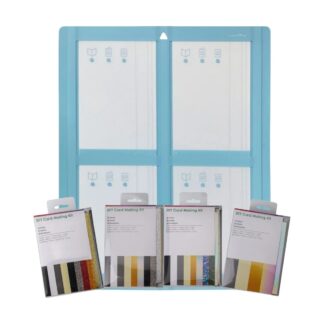
48 Cards with Inserts & Envelopes + Matching Card Mat – for Cricut Maker, Explore, Joy & Joy Xtra
Sale! Original price was: £119.99.£69.99Current price is: £69.99. Select options This product has multiple variants. The options may be chosen on the product page -
Cricut Joy-Compatible Cutting Mats 11.4 x 30.5 cm – Standard Grip 3 Pack (Green)
Sale! Original price was: £20.00.£10.00Current price is: £10.00. Add to basket -
Cricut Joy-Compatible Cutting Mats 11.4 x 30.5 cm – Standard, Strong & Light Grip 3 Pack
Sale! Original price was: £20.00.£10.00Current price is: £10.00. Add to basket -
Cricut Joy-Compatible Cutting Mats 11.4 x 30.5 cm – Strong Grip 3 Pack (Purple)
Sale! Original price was: £20.00.£10.00Current price is: £10.00. Add to basket


Showing all 4 results
Which mat grip should I use?
Use a light grip mat for paper, thin card and adhesive vinyl, a standard grip mat for vinyl, iron-on vinyl and cardstock, and a strong grip mat for thick card, glitter card and faux leather.
Which size do I need?
The Cricut Joy and Joy Xtra use narrower mats; our Joy-compatible mats are 11.4 cm wide. The Cricut Explore and Maker use 30 × 30 cm mats, which also suit most standard-size Silhouette projects. Check your machine’s manual if you’re unsure.
Keeping your mats sticky
Put the clear cover back on after every use, lift away fibres and scraps with a lint roller or scraper, and store mats flat, away from heat and direct sunlight. A mat that no longer grips will let material shift and spoil your cut, so replace it.
Why crafters buy cutting mats from CraftsVinyl
- UK dispatch and free shipping all over the UK
- Free 14-day returns
- Real help from real crafters: Freephone 0800 211 8244 or WhatsApp 07441 425 993
- Free how-to guides to get you started
More for your projects: replacement blades · transfer tape · adhesive vinyl · iron-on vinyl
Frequently asked questions
Are these mats compatible with Cricut?
Yes. They’re Cricut-compatible: the 11.4 cm-wide mats fit the Cricut Joy, and the 30 × 30 cm mats fit the Explore and Maker.
Which grip should I use for vinyl?
A standard grip mat suits most vinyl and iron-on vinyl. A light grip mat works well for adhesive vinyl and paper.
Why is my mat not sticky any more?
Dust, fibres and scraps build up on the surface. Keep the cover on between uses, clean it gently, and replace the mat once it no longer holds material firmly.